F5 Programmability Training > Automation Mini Classes > Mini Class 2 - Getting Started with F5 Terraform > Module – Installing GO package, Terraform and the BIG-IP Provider Source | Edit on
Lab – Download the GO tar file
In this task you will open a web browser and navigate to the https://golang.org/dl/ site.
Follow these steps to complete this task:
- On the Client/Jumpbox VM, open your web browser
- Navigate to https://golang.org/dl/
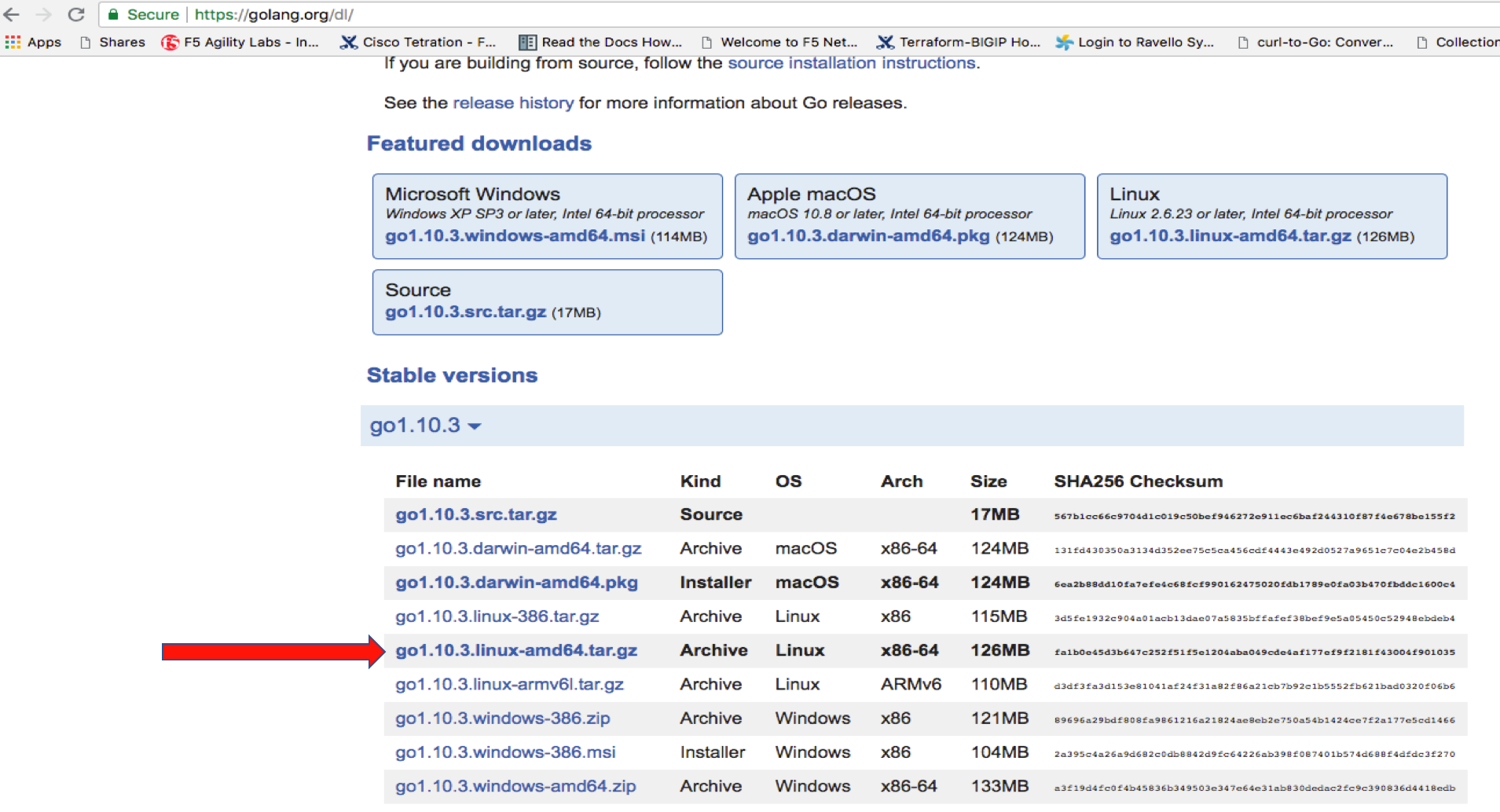
Task – Download the Go Package as shown
Follow these steps to complete this task:
Click on the Linux
go1.10.3.linux-amd64.tar.gzfile.Open terminal on the Client/Jumpbox VM
Execute the following command on Jumpbox terminal:
cd Download

sudo tar -C /usr/local -xzf go1.10.3.linux-amd64.tar.gz
Important
Enter f5DEMOs4u when prompted for f5student’s password
Include GO executable in the Path:
export PATH=$PATH:/usr/local/go/bin
Test GO pacakage by executing:
go version
Important
You should see the following
go version go1.10.3 linux/amd64
Note
You don’t need GO programming skills.