F5 Programmability Training > Class 2: Building Continuous Delivery Pipelines > Module 2: F5 f5-postman-workflows & f5-newman-wrapper Source | Edit on
Lab 2.1: Install the f5-postman-workflows Framework
In this lab you will walk through installing the f5-postman-workflows framework into the Postman REST Client.
Task 1 - Import the f5-postman-workflows Postman Collection
In this task you will Import a Postman Collection that contains Installation helpers, Examples and an automated Test Framework. The collection is installed from the f5-postman-workflows GitHub repository.
Perform the following steps to complete this task:
Open the Postman Client on your jumphost by clicking the
 icon
iconClick the ‘Import’ button in the top left of the Postman window
Click the ‘Import from Link’ tab. Paste the following URL into the text box and click ‘Import’
https://raw.githubusercontent.com/0xHiteshPatel/f5-postman-workflows/master/F5_Postman_Workflows.postman_collection.jsonYou should now see a collection named
F5_Postman_Workflowsin your Postman Collections sidebar, in some cases the Collections don’t appear until Postman has been closed and relaunched.
Task 2 - Install f5-postman-workflows into your Postman Client
To utilize the helper functions included in the framework, we must install those functions into the Postman Client. The installation helpers perform the following tasks:
- Determine the most current version of the framework
- Dynamically minify the JavaScript code from the f5-postman-workflows GitHub repository using Google’s Closure Compiler
- Install the minified JS code into a Postman Global Variable
- Set a number of Global variables that allow you to configure various options
To install the framework complete the following tasks:
Open the
F5_Postman_WorkflowscollectionOpen the
InstallfolderSelect the
Check f5-postman-workflows Versionitem and click ‘Send’Examine the ‘Tests’ portion of the RESPONSE:
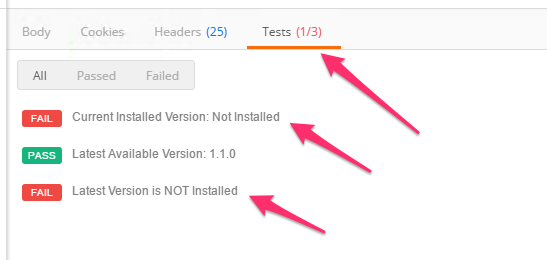
Select the
Install/Upgrade f5-postman-workflowsitem and click ‘Send’Examine the ‘Tests’ again and ensure that Installation was successful:
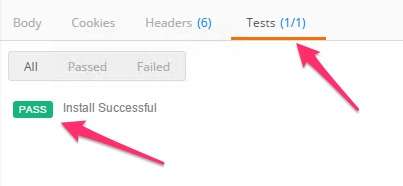
Click the ‘Eye’ button in the top right of the Postman window and examine the Global variables that have been populated
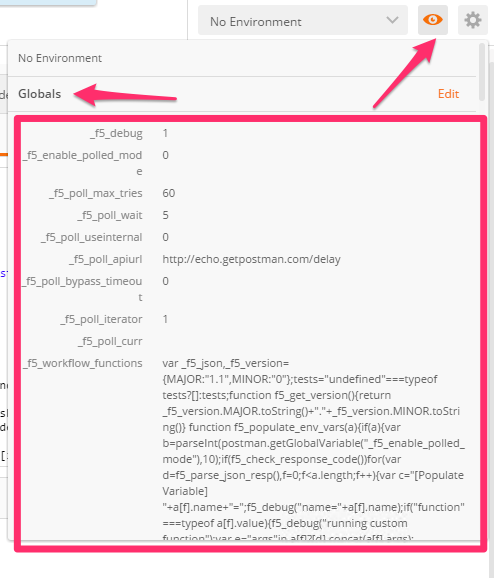
The f5-postman-workflows framework is now installed in your Postman client.