F5 Programmability Training > Class 2: Building Continuous Delivery Pipelines > Module 4: Continuous Integration / Continuous Delivery Source | Edit on
Lab 4.2 - Executing Jenkins Jobs for Creation or Modify
Now that we have Jenkins running, and the dependent Slack Plugin installed we can utilize our Jenkins Pipeline Scripts successfully.
Task 1 - Building the Application Service Framework via Jenkins
This step is executing the f5-newman-wrapper files. Instead of having to run the two different builds (Application Service Framework and Pool member add) individually we’ll use a pause. Jenkins has a pause functionality which pauses a deployment looking for an approval to continue. After the approving step the node will be added; using the 2 f5-newman-wrapper files, but in conjunction with a single solution (Jenkins). Jenkins will continue to update the class via Slack as people are progressing. Jenkins also keeps a running console for logging, which we will also review.
From the Jenkins Dashboard click on
create new jobs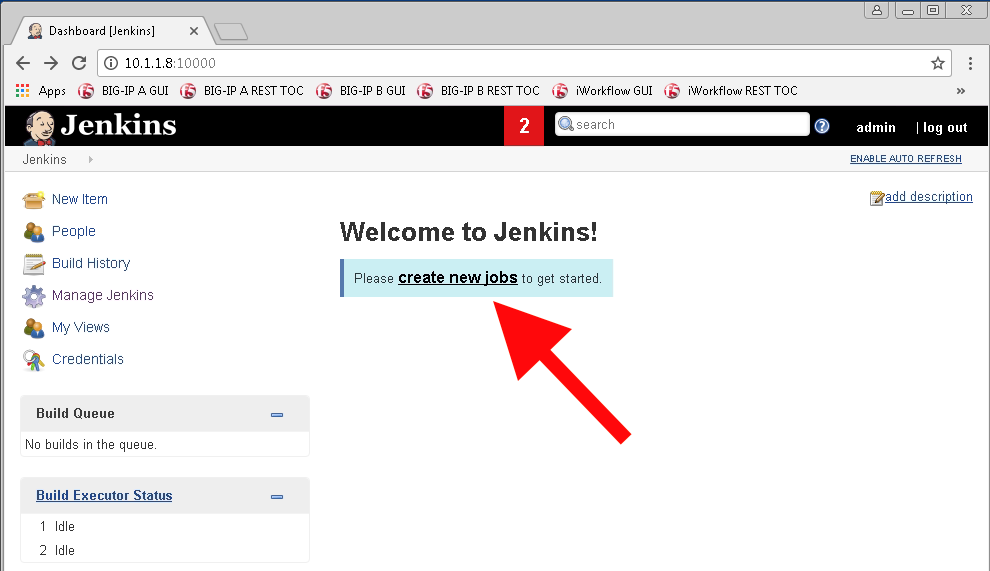
We are going to create our first Pipeline Job. Name the item
module_4_jenkinsfile1-2, choose thePipelineproject style and selectOK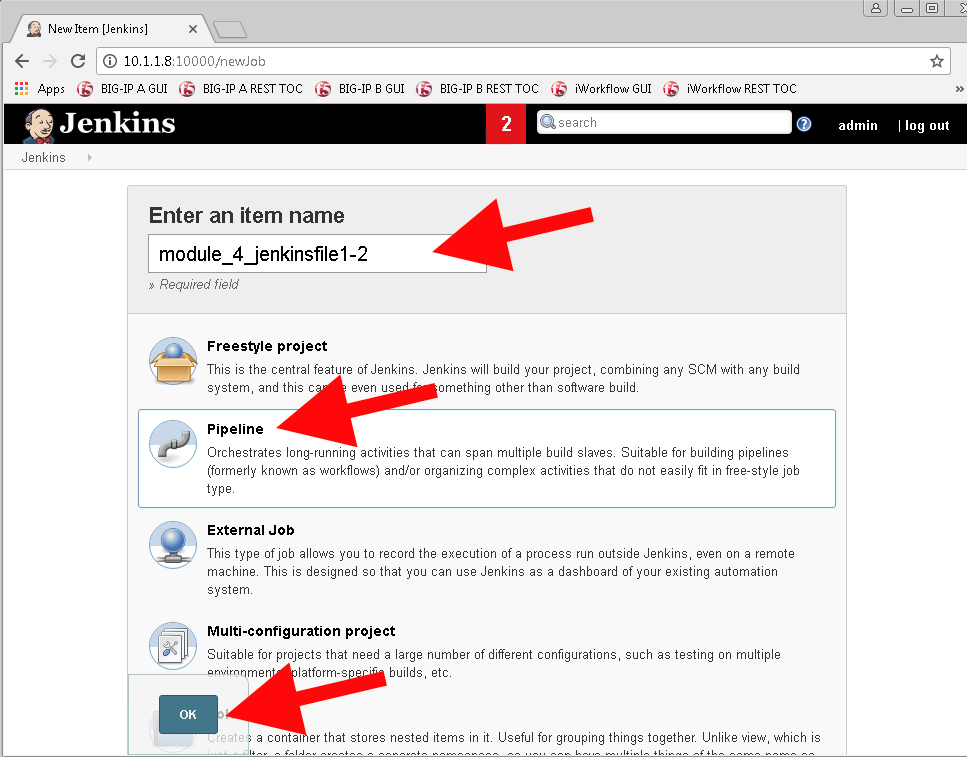
We are going to be using the raw
Jenkinsfile1-2right in thePipeline Scriptoption at the end of the config page. Scroll to the bottom of the page but please look at the other options which can deploy a Pipeline. The different options in here are for an SCM (like GitHub), thePollingorCommitmethods enable Continuous Deployment, as Jenkins will deploy the change on an event basis. Tie this with automatic testing to make sure you’re not breaking the build!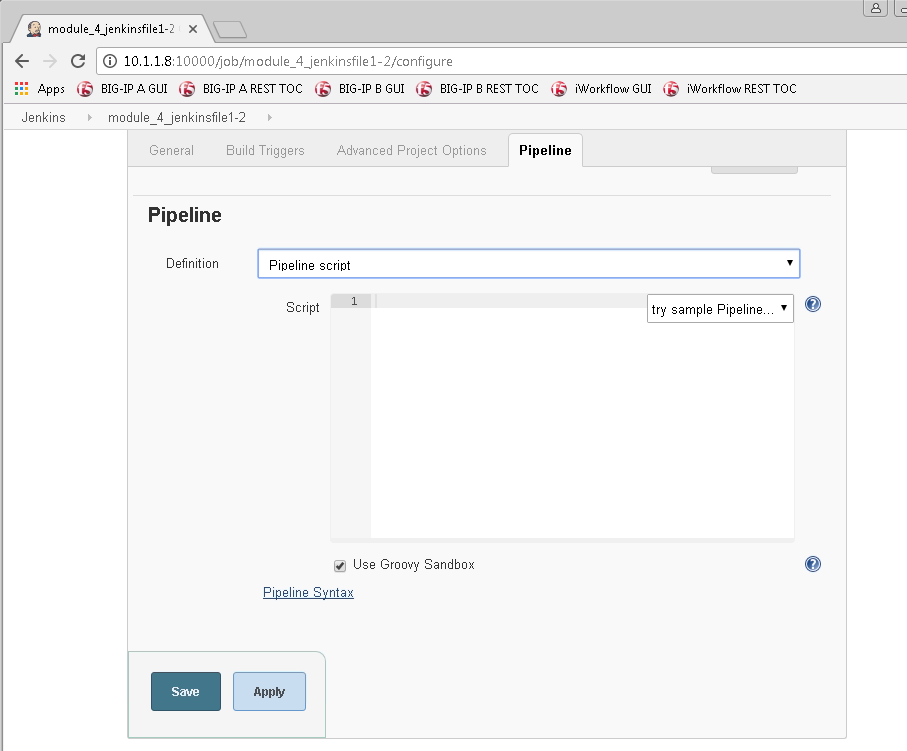
We need to enter the contents of the
Jenkinsfile1-2into theScriptsection under Pipeline. After the contents are added click theSaveOption.1 2 3 4 5 6 7 8 9 10 11 12 13 14 15 16 17 18 19 20 21 22 23 24 25 26 27 28 29 30 31 32 33 34 35 36 37 38 39 40 41 42 43
 node {
    stage('Testing') {
       //Run the tests
       //sh "python -m /home/snops/f5-automation-labs/jenkins/f5-newman-build/f5-newman-build-1"
       //sh "python -m /home/snops/f5-automation-labs/jenkins/f5-newman-build/f5-newman-build-2"
    }
    stage('Frameword-Deployment') {
        //Run SNOPS Container Newman Package Virtual and Pool
       sh "f5-newman-wrapper /home/snops/f5-automation-labs/jenkins/f5-newman-build/f5-newman-build-1"
       //chatops slack message that run has completed
       slackSend(
          channel: '#jenkins_builds',
          color: 'good',
          message: 'Super-NetOps Engineer is about to deploy an F5 Service Framework, Approval Needed!',
          teamDomain: 'f5agilitydevops',
          token: 'vLMQmBq2tiyiCcZoNlbmAi0Z'
          )
    }
    stage('Approval') {
       //Gate the process and require approval
       input 'Proceed?'
       //chatops slack message that run has completed
       slackSend(
           channel: '#jenkins_builds',
           color: 'good',
           message: 'Super-NetOps Engineer just approved a new F5 Service Framework, thats some serious Continuous Delivery!',
           teamDomain: 'f5agilitydevops',
           token: 'vLMQmBq2tiyiCcZoNlbmAi0Z'
           )
    }
    stage('Add-Sevice-Node') {
        //Run SNOPS Container Newman Package add Node to Pool
       sh "f5-newman-wrapper /home/snops/f5-automation-labs/jenkins/f5-newman-build/f5-newman-build-2"
       //chatops slack message that run has completed
       slackSend(
          channel: '#jenkins_builds',
          color: 'good',
          message: 'Super-NetOps Engineer just added a Node to a Service, Production is Online!',
          teamDomain: 'f5agilitydevops',
          token: 'vLMQmBq2tiyiCcZoNlbmAi0Z'
          )
    }
 }
Contents in Pipeline:
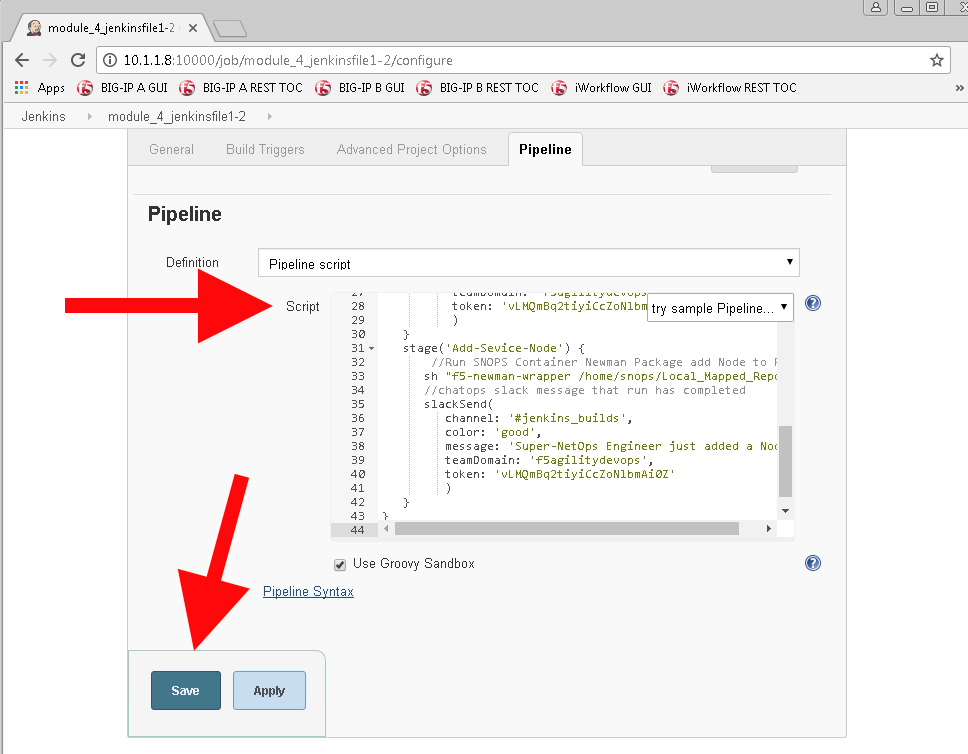
Once the Job is saved, you will be taken to the stage view page, from here we are going to execute our Pipeline build, choose the
Build Nowoption.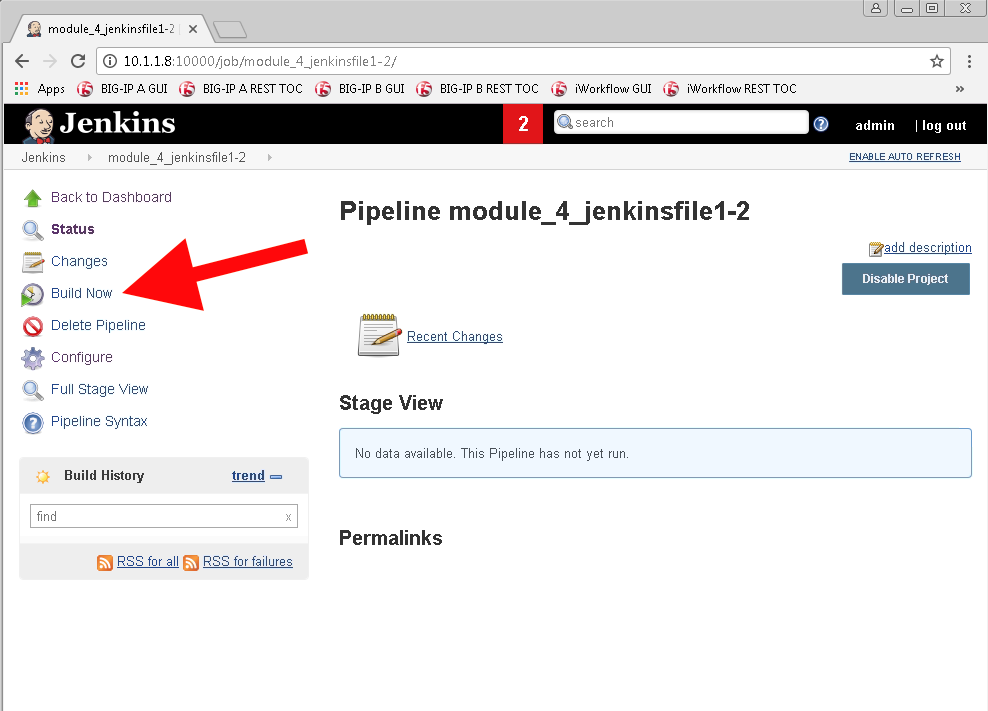
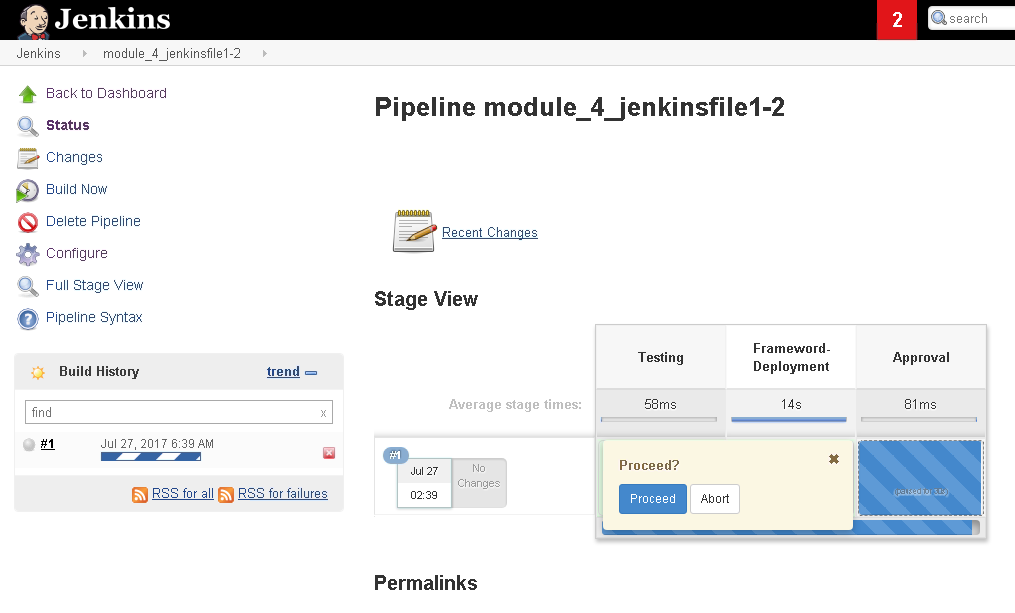
The Build is now running, and the stages are being executed in order. However, on our third stage we have a pause and an approval needed. Also at the same time Slack has began to notify us that a new service is being deployed, and someone needs to approve it.
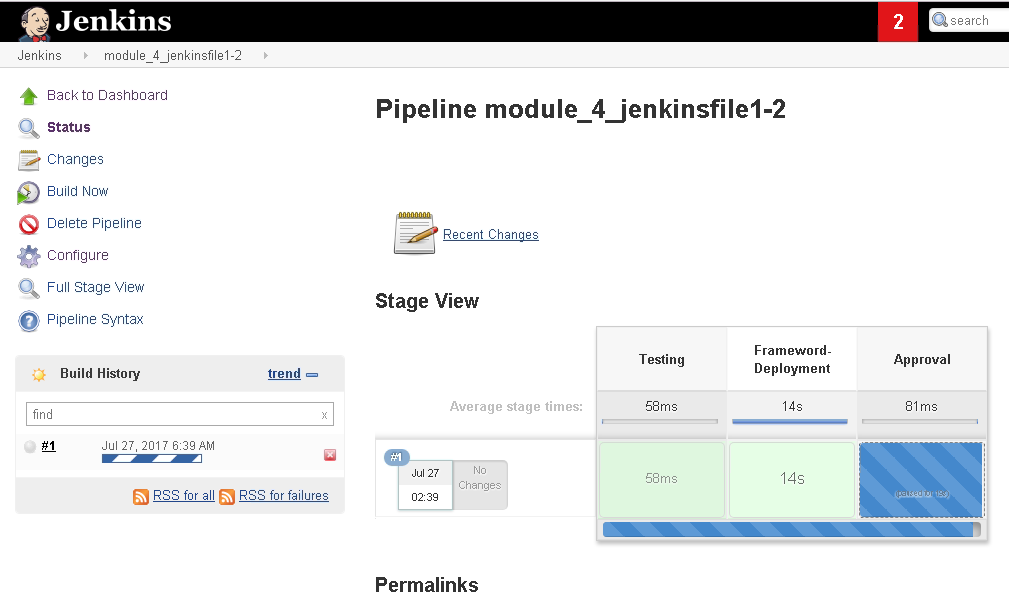
Hover over the third Stage to prompt for Approval
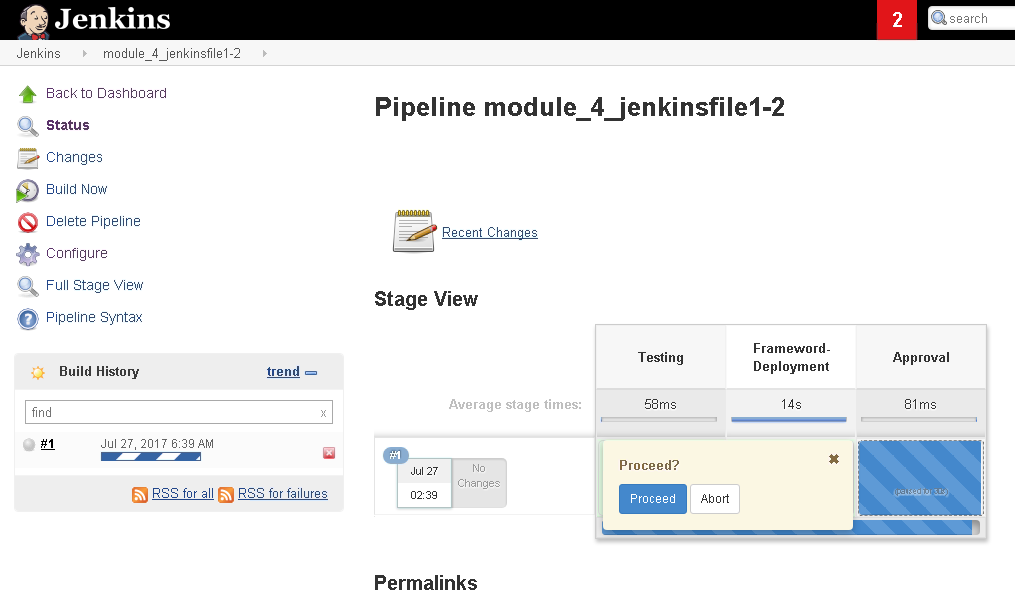

To allow the build to finish, select Proceed to approve the change in Jenkins. Once this is done, the approval and finished Slack notifications will be sent.
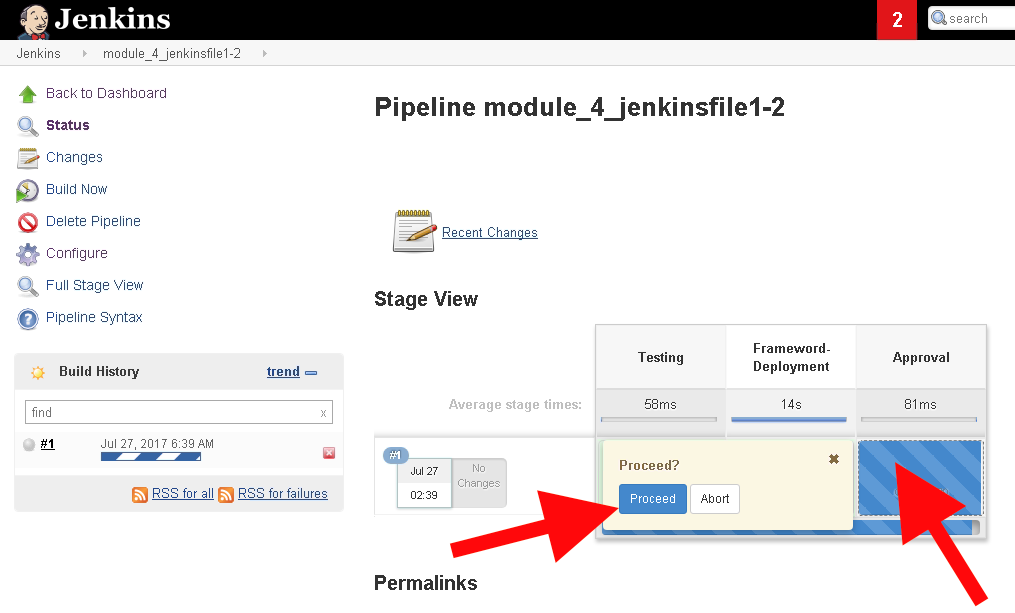
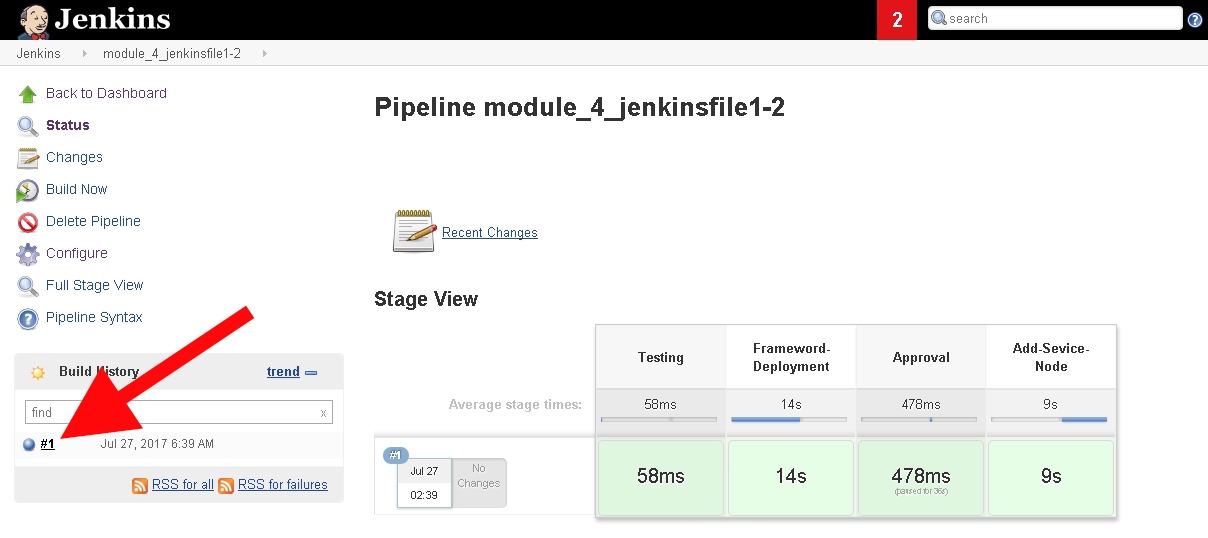
At the end of the Build event (success or failure) there is a console output from Jenkins. Select the blue globe on the left to see the outputs.
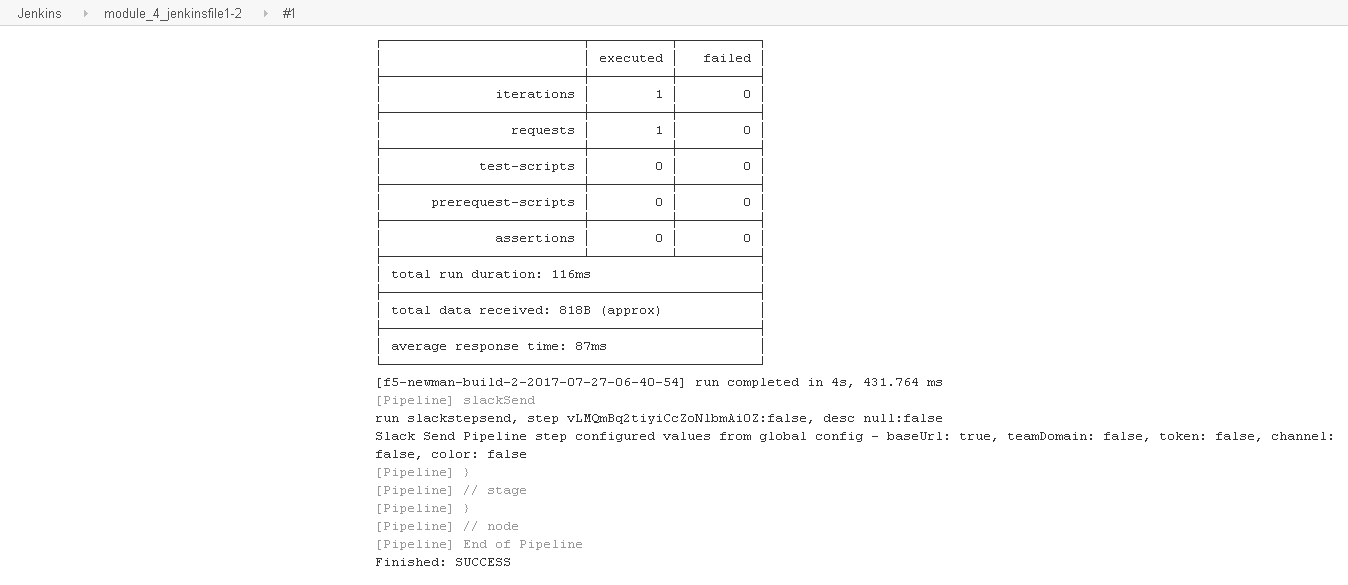
The Console Output file not only contains the Jenkins output from the Build, but also the f5-newman-wrapper toolkit logs for easy troubleshooting.
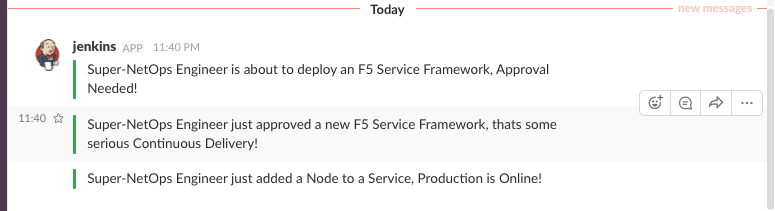
Check Slack for the completion of everything!
Verify on the BIG-IP that the pool
module_3_vshas been created and the services are Green
Task 2 - Jenkinsfile3 and Jenkinsfile4
These two Jenkins files were completed to show the ability of creating smaller deployments. In our case we will use the f5-newman-wrapper toolkit to again change the user selected state of a pool member. The different Pipelines notifications also have different Slack Color depictions, helping to quickly identify issues to team members.
Return to the Jenkins Dashboard and select
New Item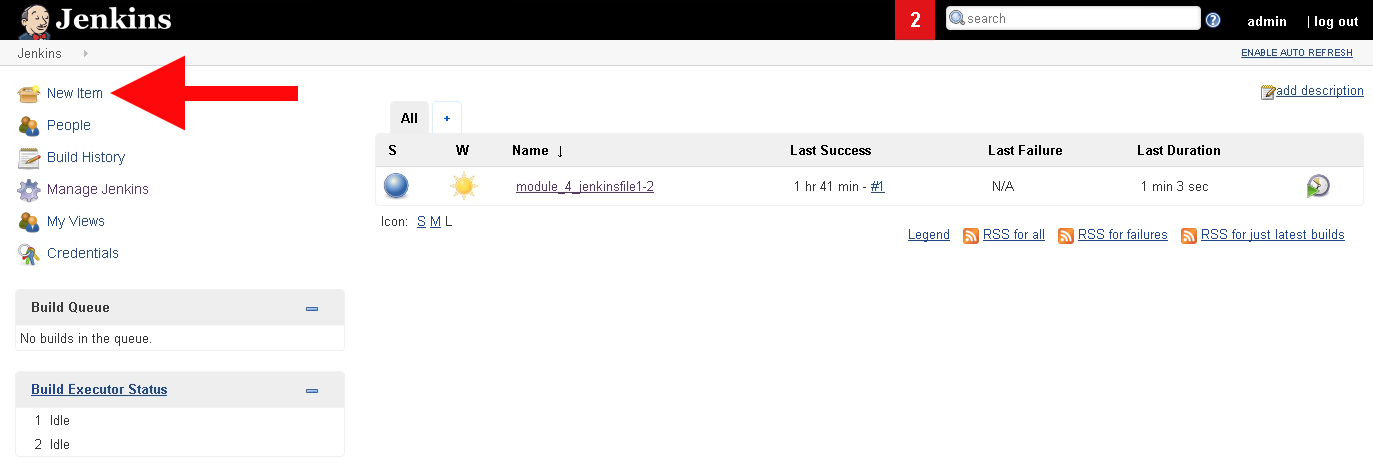
Repeats steps 2 & 3 of the previous task to create 2 new Jenkins jobs, one for each desired node state.
Create and Execute
module_4_jenkinsfile_3for a down nodePipeline Job Name:
module_4_jenkinsfile_31 2 3 4 5 6 7 8 9 10 11 12 13 14 15 16 17 18
node {
  stage('Testing') {
     //Run the tests
     //sh "python -m /home/snops/f5-automation-labs/jenkins/f5-newman-operation/f5-newman-build-3"
  }
  stage('Disable-Node') {
      //Run SNOPS Container Newman Package Virtual and Pool
     sh "f5-newman-wrapper /home/snops/f5-automation-labs/jenkins/f5-newman-operation/f5-newman-build-3"
     //chatops slack message that run has completed
     slackSend(
        channel: '#jenkins_builds',
        color: 'bad',
        message: 'Super-NetOps Engineer just disabled a Service Node!',
        teamDomain: 'f5agilitydevops',
        token: 'vLMQmBq2tiyiCcZoNlbmAi0Z'
        )
  }
}
Verify on the BIG-IP that the pool
module_3_poolhas a down nodeCreate and Execute
module_4_jenkinsfile_4for an up nodePipeline Job Name:
module_4_jenkinsfile_41 2 3 4 5 6 7 8 9 10 11 12 13 14 15 16 17 18
node {
  stage('Testing') {
     //Run the tests
     //sh "python -m /home/snops/f5-automation-labs/jenkins/f5-newman-operation/f5-newman-build-4"
  }
  stage('Enable-Node') {
      //Run SNOPS Container Newman Package Virtual and Pool
     sh "f5-newman-wrapper /home/snops/f5-automation-labs/jenkins/f5-newman-operation/f5-newman-build-4"
     //chatops slack message that run has completed
     slackSend(
        channel: '#jenkins_builds',
        color: 'good',
        message: 'Super-NetOps Engineer just enabled a Service Node!',
        teamDomain: 'f5agilitydevops',
        token: 'vLMQmBq2tiyiCcZoNlbmAi0Z'
        )
  }
}
Verify on the BIG-IP that the pool
module_3_poolhas an up node