F5 Programmability Training > Class 1: Introduction to Automation & Orchestration > Module 3: Deploying AS3 Declarations with Ansible Tower Source | Edit on
Lab 3.2: Deploying Templates with Tower
Tower is a powerfull tool which can be tailored to your specific environment. The following example Job Templates are meant to act as demonstrations of what is possible. These are a great starting point for developing your own Service Catalog and Templates that meet the requirements of your workflow.
In this first example we will show the underlying Ansible objects that make the Catalog work such as Playbooks and Jinja2 Templates. These files are stored within the GIT Repo associated with the Project in Tower. You may browse the additional files used in the lab by viewing them in the link below.
This lab covers the example of deploying a single AS3 declaration that is stored within a GIT Repository. We will be treating the JSON files in this Repository as Source-of-Truth. In an enterprise environment, you would update these files via Orchestration and use Tower to push them to the BIG-IPs AS3 Declarative interface. For simplicity a few different example files were pre-populated into the repository throughout this module.
Note
We will be switching user accounts throughout the Labs. Pay attention to Template differences between Admin and Ops Users.
Task 1 - Deploy HTTPs Tower Template
In this task we will be running through an example Template and will come back in Task2 and explain the flow Tower took to get the end result. Perform the following steps to complete this task:
Open the Ansible Tower GUI in Chrome by navigating to
https://10.1.1.12and login usingT1-admin-user/defaultcredentials.Click TEMPLATES in the top menu bar of tower. Notice that there are only two templates now visible as you are no longer logged in as the
Toweradmin but as theTenant1admin. In this Role you are able to view what is currently deployed within your Tenant and also POST a new declaration to AS3 for your Tenant.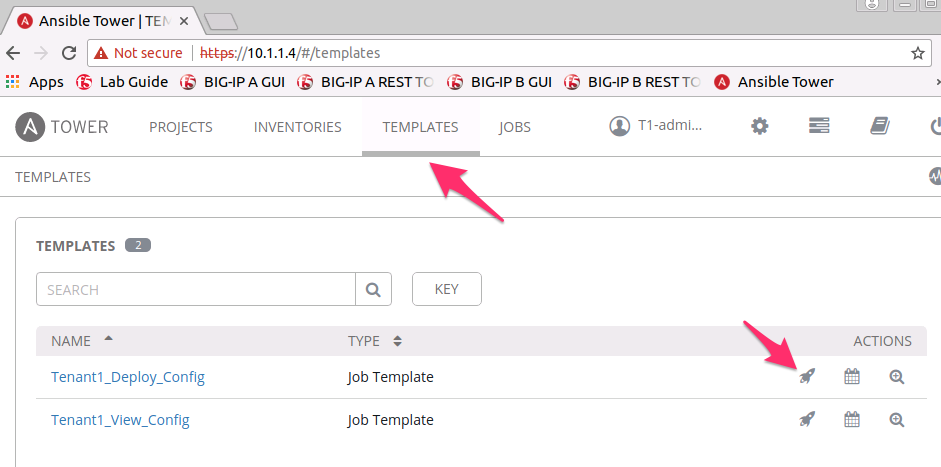
Select the
Rocket-Ship Iconnext to the Template titledTenant1_Deploy_Config.The modal that comes up is the Survey we referred to earlier. This takes in the variables which will be passed to the Ansible Playbook. This example takes two parameters.
- Tenant: This is limited by the RBAC policies that were deployed through Postman. You are not able to change this value which reduces the blast radius of changes made to your Tenant (Tenant1).
- Template FIle: This is the source-of-truth JSON file that we will be
deploying. For now set this to
f5-https-offload-app.
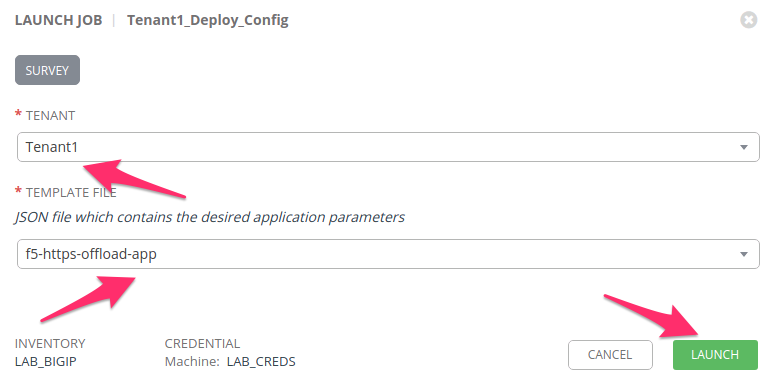
Select the LAUNCH button to deploy this configuration.
Tower will bring you to a a page to view the Job running. Wait for the
Statuslocated in the top left to becomeGreenandSuccessful. - At this point the JSON file was deployed to the BIG-IP.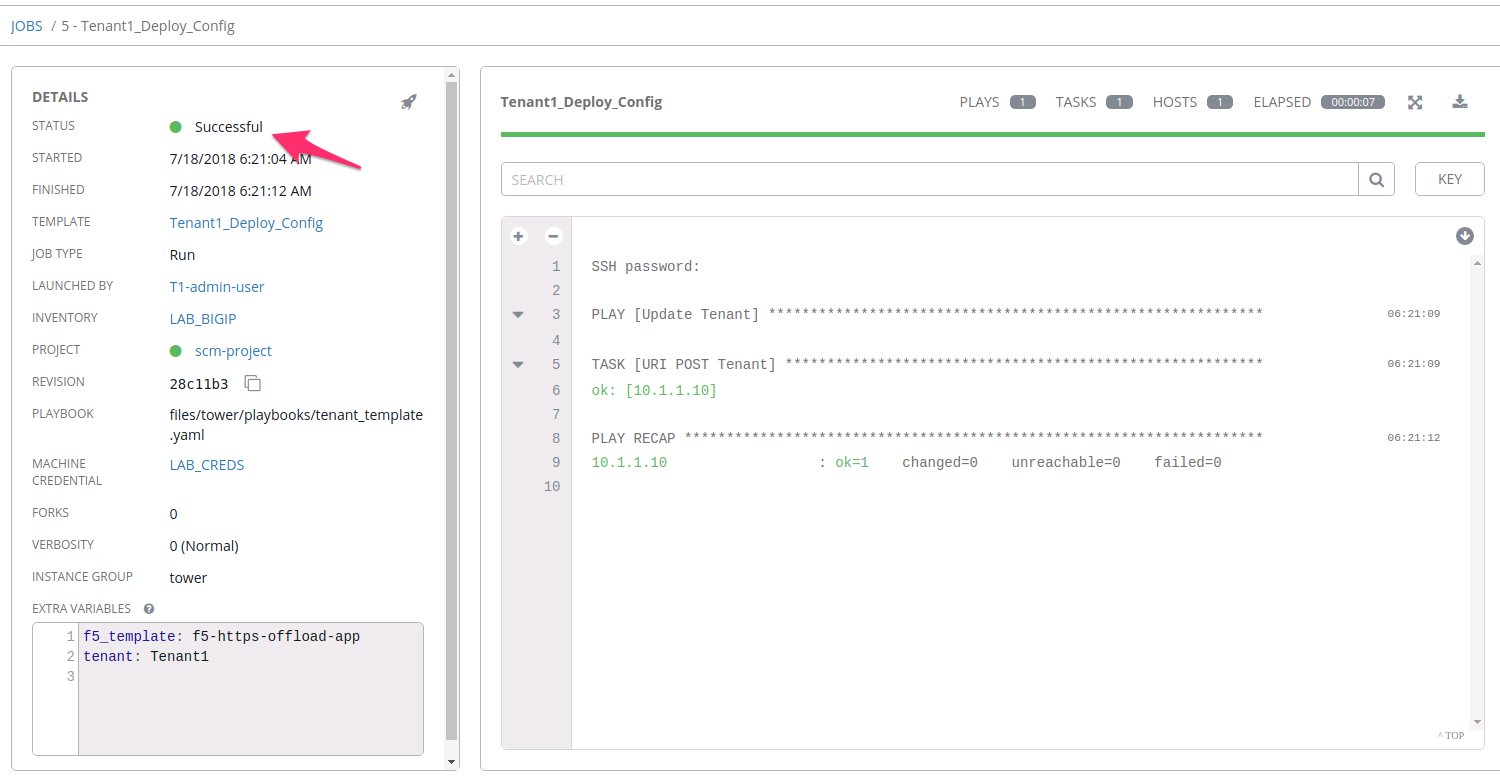
Open a Chrome window/tab to the BIG-IP A GUI at
https://10.1.1.10and login withadmin/admincredentials. Navigate to . Make sure to selectTenant1Partition in the top right hand corner to view your AS3 Tenant. You should see the Application that was created with AS3.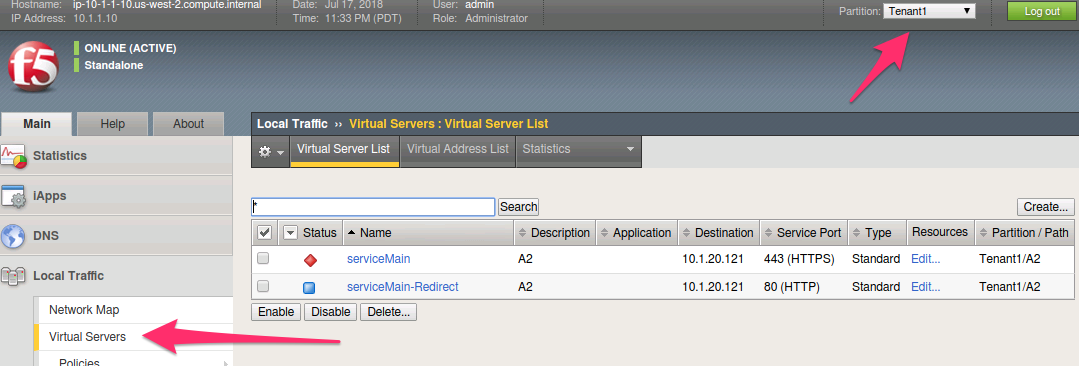
Task 2 - Review Templates/Playbooks
Now that we ran our first Tower Job, lets review what actually happened and how
Tower was able to deploy a full configuration with so little input. Keep in mind
that the JSON file referenced within the previous Template was considered to be
Tenant1's source-of-truth. Major changes to the Tenant would be performed
out of band from this current process and pushed to the GIT Repo. We will cover
PATCH changes in upcoming Tasks and labs.
Review the following data objects to finish this Task
- The template we ran called Tenant1_Deploy_Config calls an Ansible
Playbook called tenant_template.yaml. The key points
to notice are:
- tenant_body: This is where Ansible is looking up the base AS3 application.
- body: This object refers to a Jinja2 template. This allows ansible to place variables provided in the Tower Survey into the AS3 declaration. We will review the Jinja2 template in the next step.
1 2 3 4 5 6 7 8 9 10 11 12 13 14 15 16 17 18 19 20 | ---
- name: Update Tenant
hosts: bigip
gather_facts: false
connection: local
vars:
tenant_body: "{{ lookup('url', 'https://<<repo-location>>/{{ f5_template }}.json', split_lines=False) }}"
uri_method: "POST"
tasks:
##### AS3 POST #####
- name: URI POST Tenant
uri:
url: "https://{{ inventory_hostname }}/mgmt/shared/appsvcs/declare"
method: "{{ uri_method }}"
user: "admin"
password: "admin"
validate_certs: no
body: "{{ lookup('template', '../j2/tenant_base.j2') }}"
body_format: json
|
Lets examine the Jinja2 template that is called by the playbooks below.
- tenant: This is where the Tenant/Partition is inserted into the AS3 playbook. This prevents the user from editing someone elses Tenant.
- tenant_body: The JSON Source-of-Truth is inserted here.
- Together the two objects above create a complete AS3 Declaration for Tenant1.
 1
 2
 3
 4
 5
 6
 7
 8
 9
10
11
12
13
14
{
   "class": "AS3",
   "action": "deploy",
   "persist": true,
   "declaration": {
      "class": "ADC",
      "schemaVersion": "3.2.0",
      "id": "testid",
      "label": "test-label",
      "remark": "test-remark",
      "{{tenant}}":
         {{tenant_body}}
    }
}
This same logic could be followed for grouping multiple applications Together under 1 declartion. Testing has been performed to demonstrate AS3s ability to deploy hundreds of Applications through a single declaration.
Task 3 - Viewing the state of AS3 on the BIG-IP
The other Template available to our T1-admin-user is
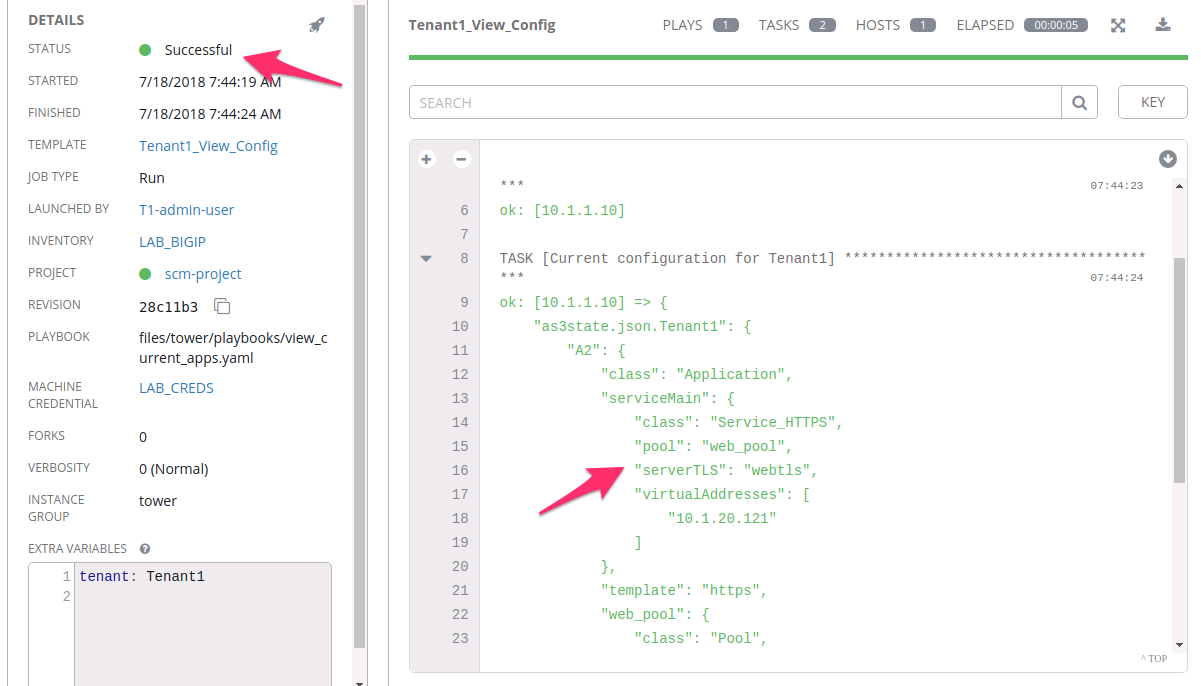
Tenant1_View_config. This is a simple Playbook which will perform
a GET` against AS3 for the current users ”Tenant” and display it within
the Job output.
Navigate to Templates in the GUI and select the
Rocket-Ship Iconnext to the Template titledTenant1_Deploy_Config.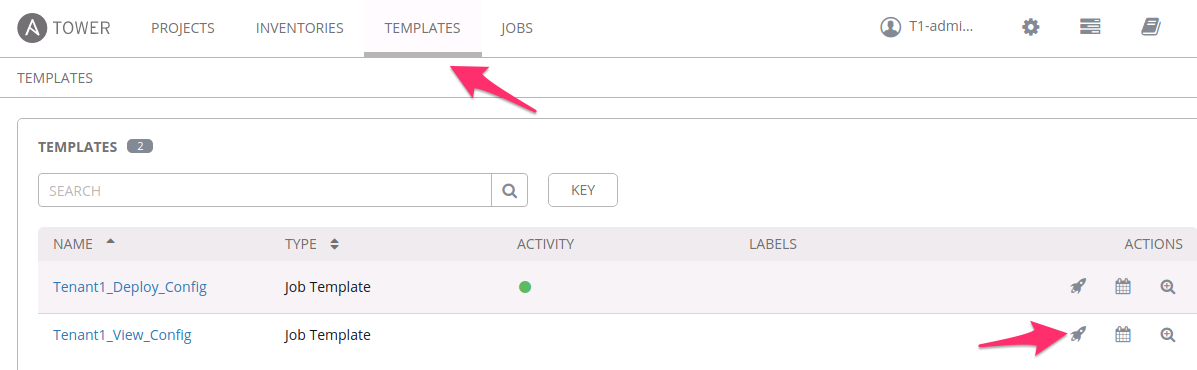
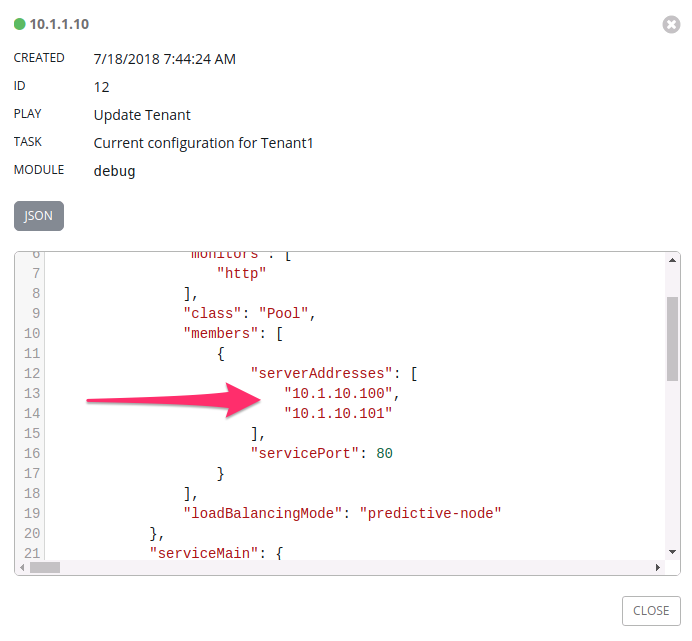
This Template does not have a survey associated with it. When the Job Completes you will be able to click directly on the JSON output to review the current AS3 Config.
Task 4 - Explore Additional Source-of-Truth Files
Using the procedures above explore Deploying the other example Source-of-Truth files that are available within the Tenant1_Deploy_Config template. The table below represents what each template contains.
Note
Once done exploring please run the Tenant1_Deploy_Config
Template again with the f5-https-offload-app option as we will be using
that in the next section.
| Service Template | Description |
|---|---|
f5-http-app |
HTTP Load Balancing to a Single Pool |
f5-https-offload-app |
HTTPS Offload and Load Balancing to a Single Pool |
f5-http-irule-routing-app |
HTTP Load Balancing with URL Based Content Routing to Multiple Pools |
f5-tcp-app |
Generic L4 TCP Load Balancing to a Single Pool |
f5-udp-app |
Generic L4 UDP Load Balancing to a Single Pool |
f5-https-waf-app |
HTTPS Offload, Web Application Firewall Protection and Load Balancing to a Single Pool |